Sat Nav in a Puma Defender: The Phone Setup That Actually Works
The Puma-era Defender (2007–2016) left the factory without navigation, without a screen, and in most trims without so much as an aux socket worth talking about. Owners have solved it three ways: an aftermarket head unit, a dedicated sat nav, or a phone. This guide makes the case that the phone is the right answer for almost everyone — and walks through the three things that separate a phone-nav setup that works from one that ends up in the passenger footwell.
The three options, honestly
- Aftermarket head unit with CarPlay/Android Auto. The tidiest screen, but it means cutting into a dash that was never designed for a DIN unit, wiring work, and £300–£600 before fitting. Worth it if you also want the audio overhaul; overkill if you just want directions.
- Dedicated sat nav (TomTom, Garmin). Simple, but you're paying £150–£350 for a second, worse smartphone with map updates that lag and a suction mount that cooks off the windscreen in summer.
- Your phone. The best screen, the best maps (Google, Waze, OS Maps for the lanes), always current, free. Its only weaknesses are borrowed ones: a bad mount and a flat battery. Fix those two and it beats everything else.
What a phone-nav setup needs in a Defender
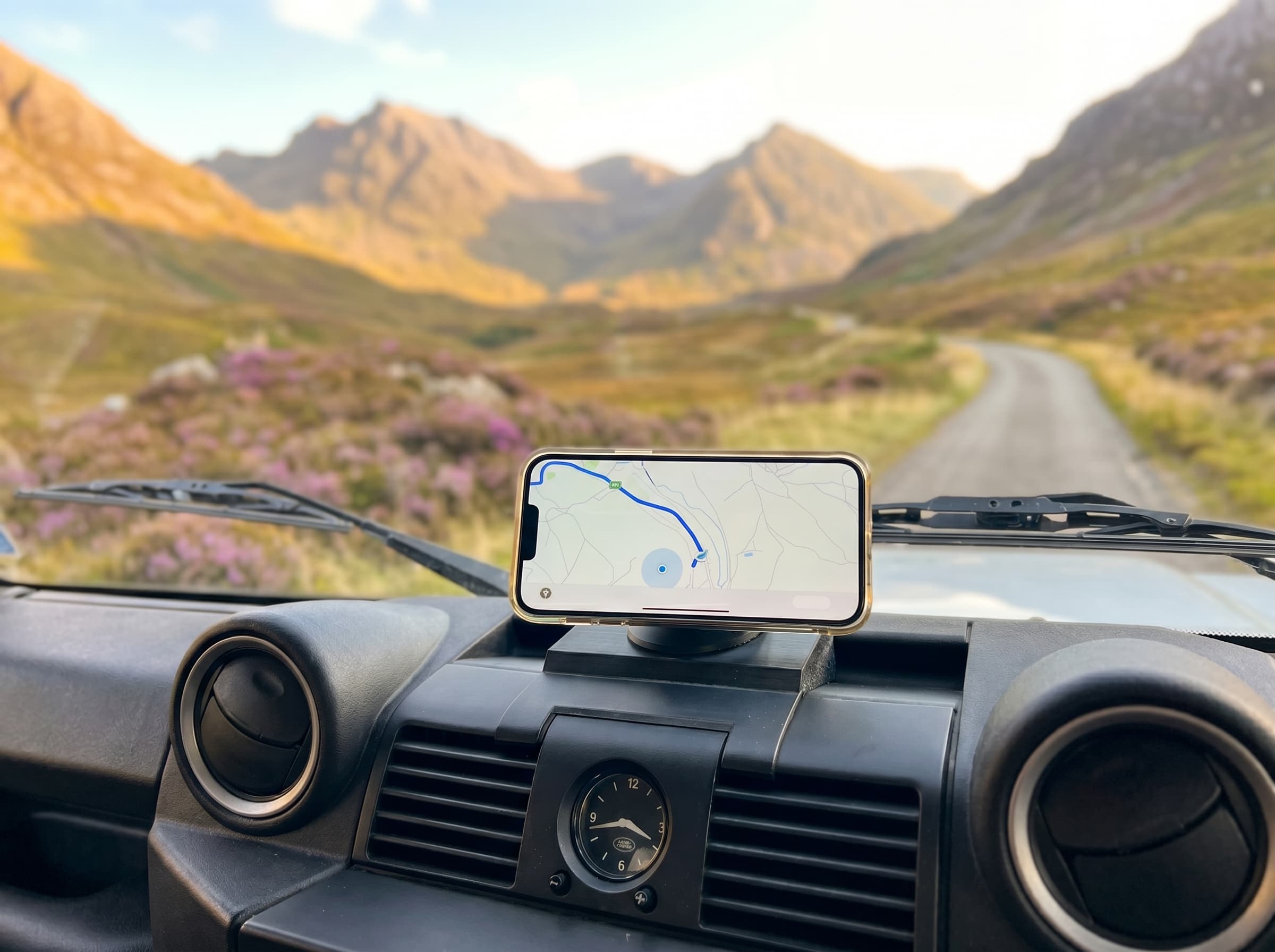
1. A mount that treats the Defender as a Defender. Suction cups and vent clips are built for hatchbacks on tarmac. A Defender cab gets hot, vibrates hard, and shakes anything friction-held loose on the lanes. You want a locking base fixed to the dash with a strong magnetic hold — so the phone snaps on and off in one hand, but nothing relies on grip alone. We wrote a full buyer’s guide to Defender phone mounts if you want the long version.
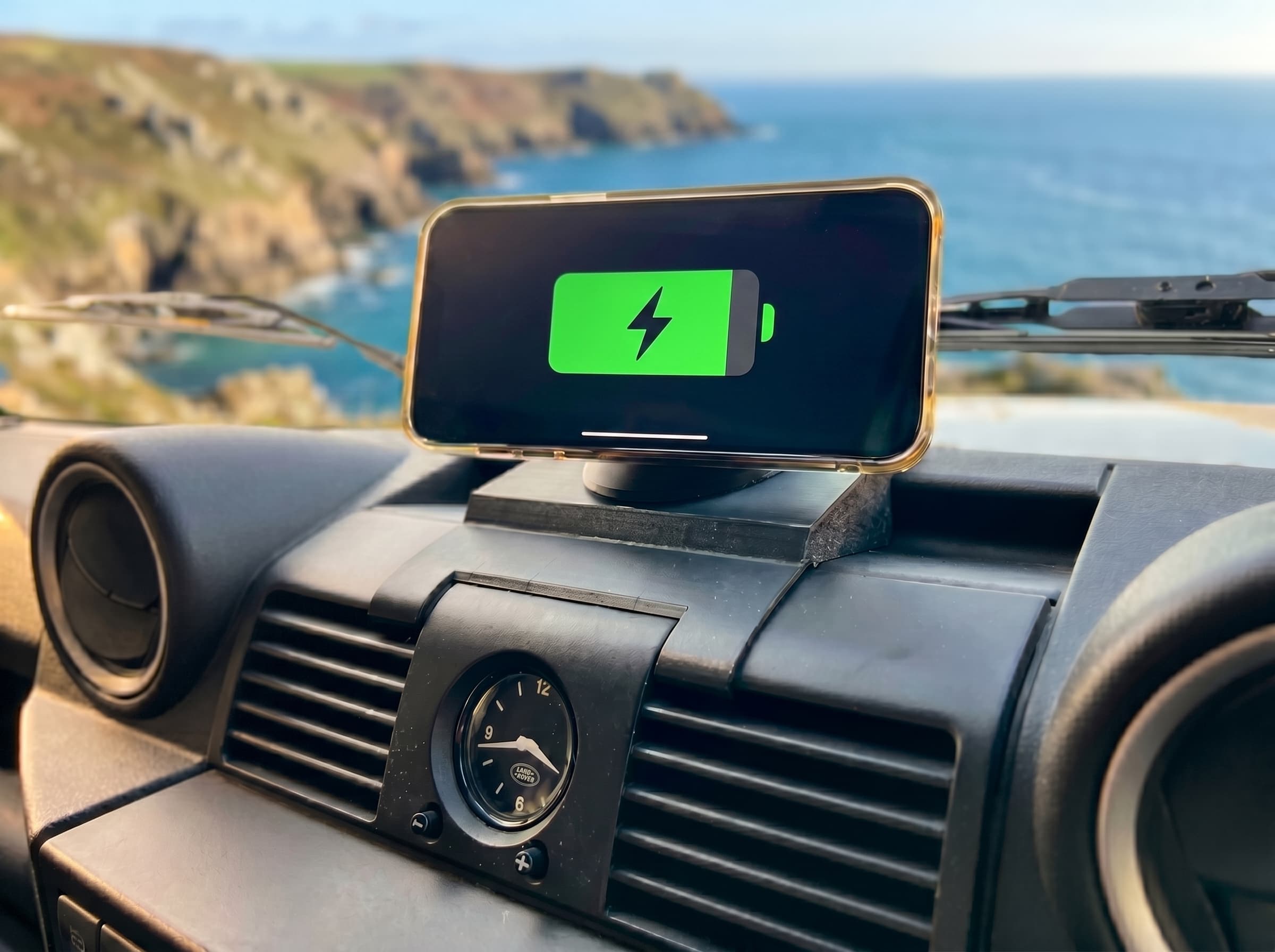
2. Power, without a cable across the cab. Navigation with the screen on is the hungriest thing a phone does — a two-hour run can eat half a battery. A setup that charges while it holds, fed tidily from the dash USB-C socket, means you arrive with a full phone instead of rationing the last 20%. MagSafe-style magnetic charging does this with no fumbling at all.
3. Placement you can live with. Low and flat on the dash, in your glance line but not your sightline. Up on the windscreen the phone blocks your view of the road (an MOT and legal issue in the Defender’s upright glasshouse) and sits in direct sun, which is exactly how phones overheat and throttle mid-route.
Our setup
This is the combination we build and run in our own trucks: the Defender Dash Mount System — a locking base made for the Puma dash, a MagSafe dock the phone snaps onto, and a USB-C feed so it charges as it holds. Phone on, navigate, phone off when you park. It sits low, never blocks the screen line, and shrugs off cab heat because it’s printed in a heat-tolerant engineering plastic. £52 with free UK delivery, and there are real owner reviews on the site.
App picks for Defender driving
- Google Maps — the everyday default; download offline areas before long trips.
- Waze — best live traffic and camera alerts on the road.
- OS Maps — 1:25k/1:50k mapping for green lanes and everything beyond the tarmac.
- what3words — worth having for meets, gateways and recovery call-outs.
FAQ
Do I need a dedicated sat nav unit for my Defender? For most owners, no. A modern phone with Google Maps or OS Maps outperforms a mid-range dedicated unit, stays up to date for free, and you already own it. The weak link is never the phone — it's how it's held and powered.
Will my phone overheat running navigation on the dash? Screen-on navigation plus charging does warm a phone, but a mount that holds the phone in free air off the dash surface helps it shed heat. Avoid enclosing cradles in summer.
What about navigation off the beaten track? Download offline maps before you set off (Google Maps and OS Maps both support it). GPS itself needs no signal — only map downloads do.
Is a windscreen-mounted phone legal? A phone must not obstruct your view of the road. Keeping the phone low and flat on the dash, rather than up on the glass, keeps you clear of trouble and passes MOT scrutiny.